DGFA Caddie
Your bag, with a caddie.
Keep your whole bag in one place with flight numbers at a glance, then snap any hole and get a disc and a shot picked only from the discs you actually carry.
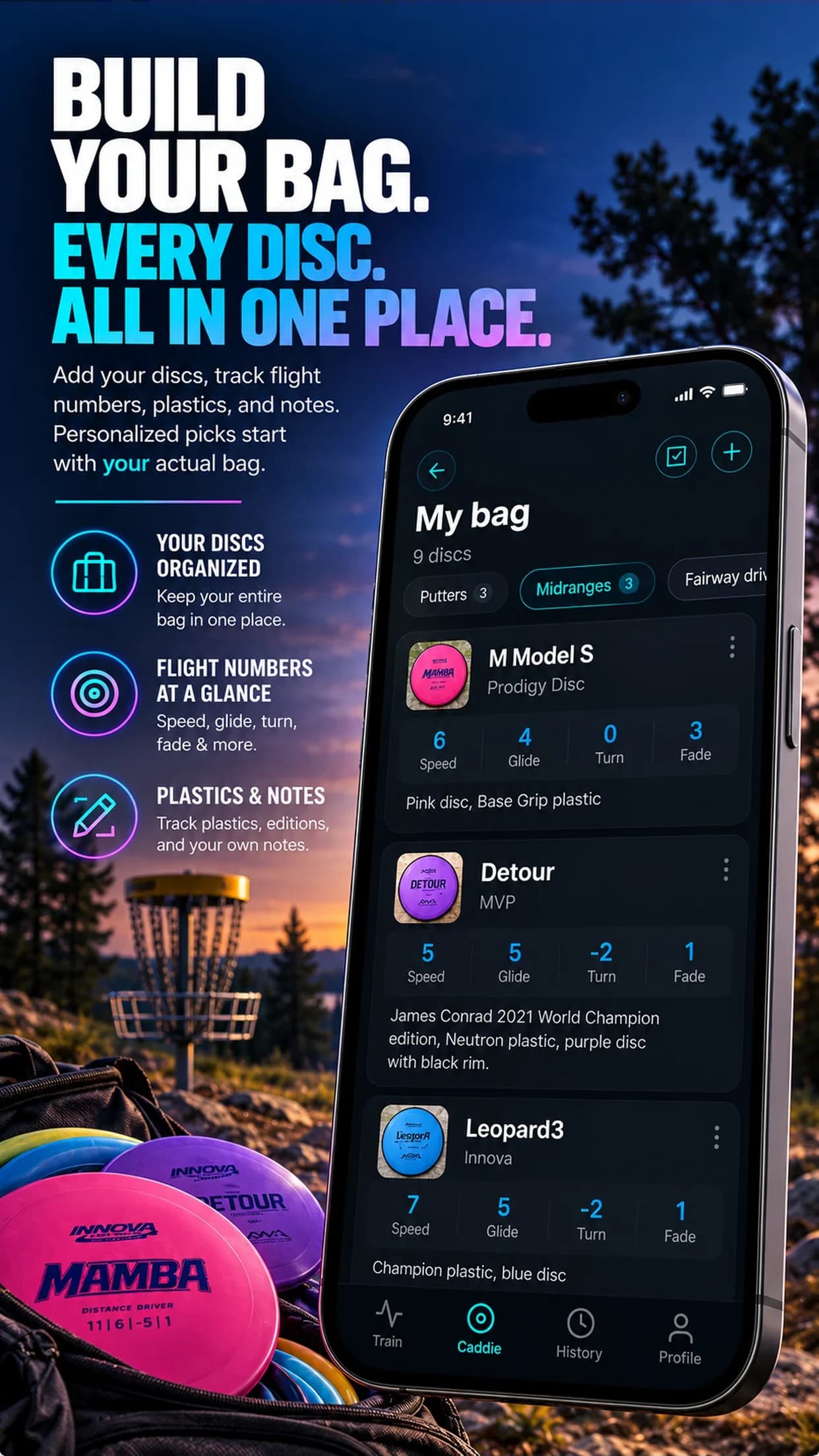
01Bag manager
Every disc, one place.
Add from a photo
The app reads brand, mold and flight numbers from a picture of the disc.
Flight numbers at a glance
Speed, glide, turn and fade for every disc, filtered by putters, mids, fairways and drivers.
02Hole advisor
Snap the hole. Get the shot.
Photograph the hole from the tee and the caddie reads the obstacles, ceiling, dogleg and elevation, then fills in the conditions for you to confirm. Add distance, wind and the shape you want, and get a primary disc and shot plus an alternative.
Every pick comes from your own bag, so the advice is something you can actually throw.
FAQ
Questions
How do I add discs to my bag?
Take a photo of the disc. The app reads the brand, mold and flight numbers (speed, glide, turn and fade) and fills them in for you to review. You can also add discs by hand.
How does the hole recommendation work?
Take a photo from the tee and add the distance, wind and the shot shape you want. The caddie reads the trees, ceiling, dogleg and elevation from the photo and recommends a primary disc and shot plus an alternative, only from discs in your bag.
Does it save my recommendations?
Yes. Every recommendation is saved under Recent picks so you can revisit it on your next round.
Free for 3 days
Put your bag to work.
Join 15,000+ disc golfers using Disc Golf Form Analyzer on iPhone and Android.