Pose estimation
Your form, graded against a coach.
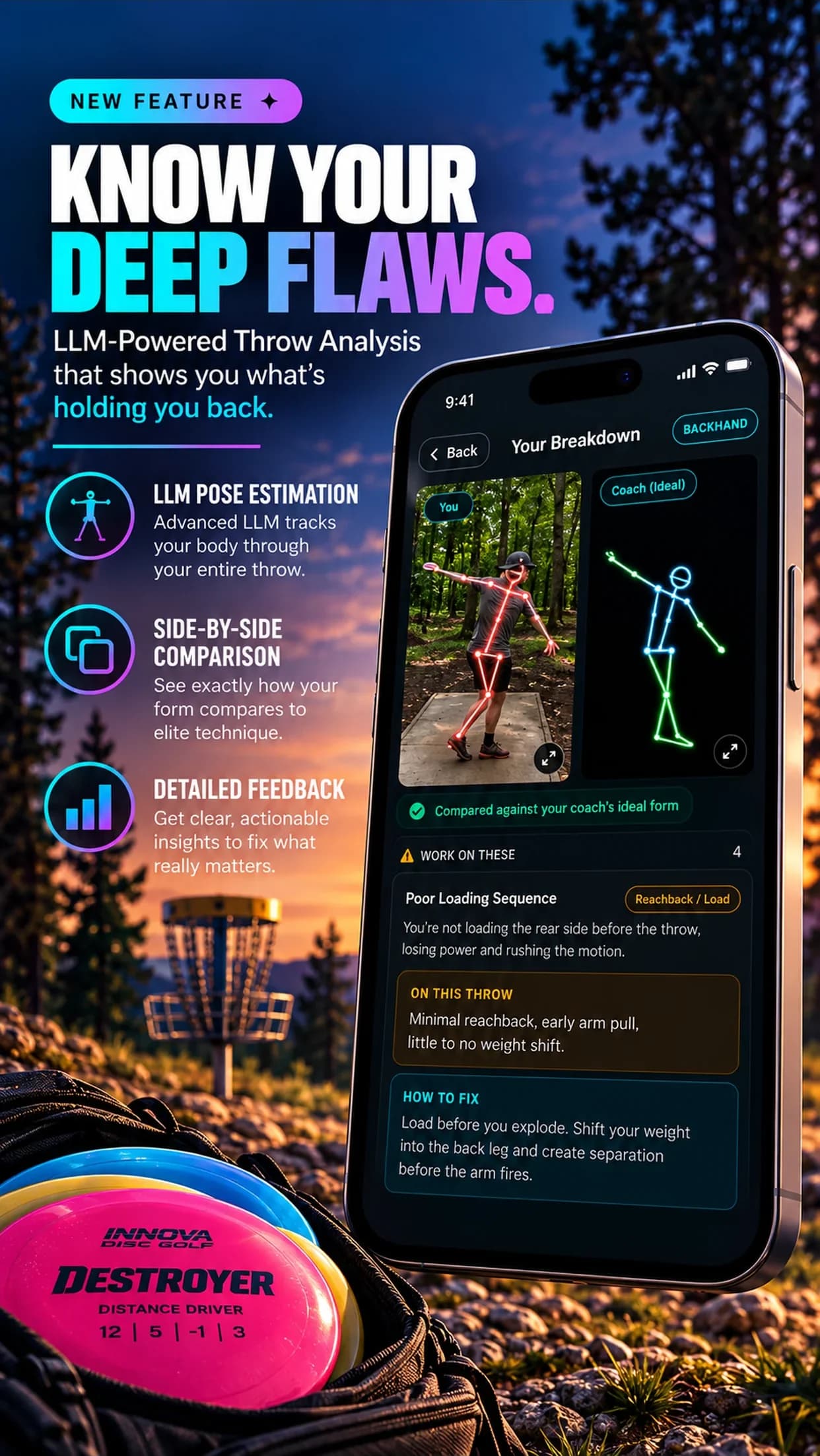
Film a backhand or forehand. Pose estimation tracks your body through the whole throw and grades it against a coach's ideal form on 20 faults, with your skeleton next to theirs.
01How it works
Tracked, then graded.
The app finds your joints in every frame and follows them through the reach-back, the pull, the release and the follow-through. It then checks your positions and timing against a real coach's ideal throw, not a generic body model.
Your skeleton vs the ideal
See your throw drawn as a skeleton next to the coach's, so the difference is visible, not just described.
Work on these / looks good
Faults are sorted into what to fix now, what already looks right, and what this angle could not show.
Angle-aware
Side-on, behind or in front: only the faults your camera can actually see are graded.
The coach's fix
Every fault comes with the coach's explanation, a cue and a drill, plus a short demo clip.
02 · The 20 faults it checks
Ten for backhand. Ten for forehand.
Backhand
- Poor loading sequencesidebehind
- Early rotation (opening up)frontside
- Poor athletic posturesidefront
- Weak front-side bracesidefront
- Poor plant timingsidebehind
- Roundingbehindfront
- Early upper body rotationfrontside
- Losing the power pocketfrontbehind
- Incomplete weight transfer / rotationsidebehind
- Poor finish and balancesidefrontbehind
Forehand
- Poor lower body loadsidebehind
- Collapsed / unstable load positionsidefront
- Chicken wing (elbow escape)frontbehind
- No lower body sequence (arm-initiated)sidefront
- Losing the compact forehand pathbehindfront
- Pushing the disc (no lag)frontbehind
- Poor sequence timingsidefront
- Poor wrist lag and accelerationbehindfront
- Poor weight transfersidebehind
- Poor finish and balancesidefrontbehind
Tags show the camera angles each fault can be graded from.
03Filming tips
Get a clean read.
- Keep your whole body in frame from the run-up to the follow-through.
- Hold the phone still: a tripod, a bag or a friend. Do not pan or zoom.
- Side-on shows the most faults. Film from behind to check rounding and the power pocket.
- Good light, one person in the shot, and a plain background help the tracking.
FAQ
Questions
What is pose estimation in disc golf?
Pose estimation is computer vision that finds your joints (shoulders, elbows, hips, knees and so on) in every frame of a video. In Disc Golf Form Analyzer it tracks your throw and compares your positions to a coach's ideal backhand or forehand.
Which faults does it check?
20 coach-defined faults, 10 for backhand and 10 for forehand, such as rounding, early rotation, a weak front-side brace, chicken wing and pushing the disc. Each one comes with the coach's explanation, cue and drill in the app.
Why are some faults marked as not checked?
Some faults can only be seen from certain angles. Rounding, for example, shows up from behind or in front, not from the side. The app only grades what your camera angle can actually show, and tells you which faults need a different angle.
Is the skeleton overlay accurate?
It is reliable for full-body, well-lit, steady footage with one person in frame. Fast hand motion can blur at standard frame rates, which is why the grading focuses on body positions and sequencing rather than exact hand speed.
Free for 3 days
See your skeleton next to the coach's.
Join 15,000+ disc golfers using Disc Golf Form Analyzer on iPhone and Android.